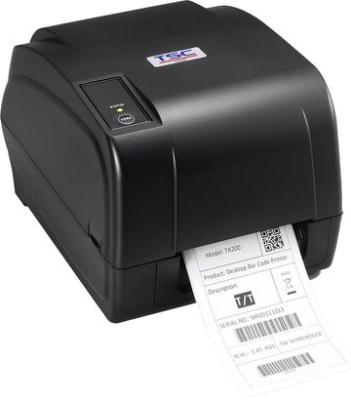
In any retail or hospitality business, a receipt printer is more than just a tool—it’s an essential part of daily operations. Whether you run a bustling café, a busy supermarket, or a small boutique, having a reliable printer ensures smooth transactions and satisfied customers. But with so many options available, how do you choose the right one?
To help you make the best decision, here are seven key features to look for when selecting a receipt printer for your business.

1. Printing Speed Matters
Time is money, especially in customer-facing businesses. A slow printer can create long lines and frustrated customers. That’s why printing speed is one of the most crucial factors. A good model should be able to print receipts quickly, reducing wait times and improving efficiency.
For retail stores or busy restaurants, look for a receipt printer that can produce at least 200 millimeters per second (mm/s). Higher-speed models can reach up to 300 mm/s, making them ideal for high-volume businesses.
2. Easy Connectivity Options
A receipt printer should seamlessly connect to your existing systems. Whether you use a computer-based point-of-sale (POS) system or a cloud-based one, having multiple connection options is essential.
Some common connectivity options include:
USB: Ideal for simple, direct connections.
Bluetooth: Perfect for wireless setups, reducing cable clutter.
Wi-Fi: Allows mobile POS systems to function smoothly.
Ethernet: A reliable wired option for stable connections.
Choosing a model with flexible connectivity ensures that it integrates well with your setup, no matter how your business evolves.
3. Reliability and Durability
A receipt printer must handle continuous use without breaking down. Durability is especially important in high-traffic environments like retail stores and restaurants.
When selecting a model, check the printhead life and cutter lifespan. A quality printer should have a printhead life of around 100 kilometers of printed receipts and an auto-cutter that lasts for at least 1 million cuts. These figures indicate how long the device will perform efficiently before needing replacement parts.
4. Compact and Space-Saving Design
Not every business has the luxury of a spacious checkout counter. That’s why a compact receipt printer can be a game-changer. Many models come in sleek, small designs that fit easily into tight spaces without compromising performance.
If you have a countertop POS system, consider a front-loading printer, which allows easy access even in cramped spaces. Wall-mountable options are also great for businesses looking to optimize space.
5. Compatibility with POS Systems
Before purchasing a receipt printer, make sure it works well with your POS software. Some printers are designed for specific systems, while others are universal, meaning they can connect with various POS applications.
Check whether the printer supports common POS platforms such as:
Windows or Mac-based POS systems
Android and iOS POS apps
Cloud-based software solutions
A receipt printer that integrates smoothly with your POS ensures hassle-free operations, reducing downtime and technical issues.
6. Cost-Effective Paper and Ink Usage
Running costs can add up, especially if your business prints hundreds of receipts daily. To keep expenses low, opt for a thermal receipt printer instead of an ink-based one.
Thermal models don’t require ink cartridges or ribbons, significantly cutting costs. They use heat-sensitive paper, which prints clear and sharp receipts without extra supplies. Additionally, consider a printer with an eco-friendly printing mode, which reduces paper consumption by adjusting font sizes and margins.
7. Noise Level and Smooth Operation
A loud receipt printer can be distracting, especially in customer-facing environments. If you operate in a quiet setting, such as a boutique or a café, a noisy machine can be disruptive.
Many modern receipt printers are designed to operate quietly while maintaining high speed. Look for models with low-noise printing mechanisms, ensuring a smooth and professional experience for both employees and customers.
Final Thoughts
Choosing the right receipt printer is an investment in your business’s efficiency and customer satisfaction. A high-quality model should be fast, reliable, and easy to integrate with your existing POS system.
If you're looking for a trusted supplier with a variety of receipt printer options, check out POS Central for top-quality products that meet your business needs.